Give AI the keys.
Not the building.
A sealed enclave where AI does real work against your sensitive tools and data — driven from the web or your own MCP client, run on a schedule, by anyone on the team. The access lives in one governed place, never on someone's laptop.
Built at Enablis · used daily · live in production
credentials never leave the box
Your sensitive access
never leaves the box.
AI reaches in through one guarded gate. Credentials stay inside; only reviewable artefacts come out.
Keys live on a laptop. Anything that machine runs, runs with them.
A tool on a laptop holds the keys. Fusion holds them for you.
Web dashboard, or
your own MCP client.
Same enclave, same guardrails — reached from Fusion or from Claude Desktop, Cursor and the rest. Today.
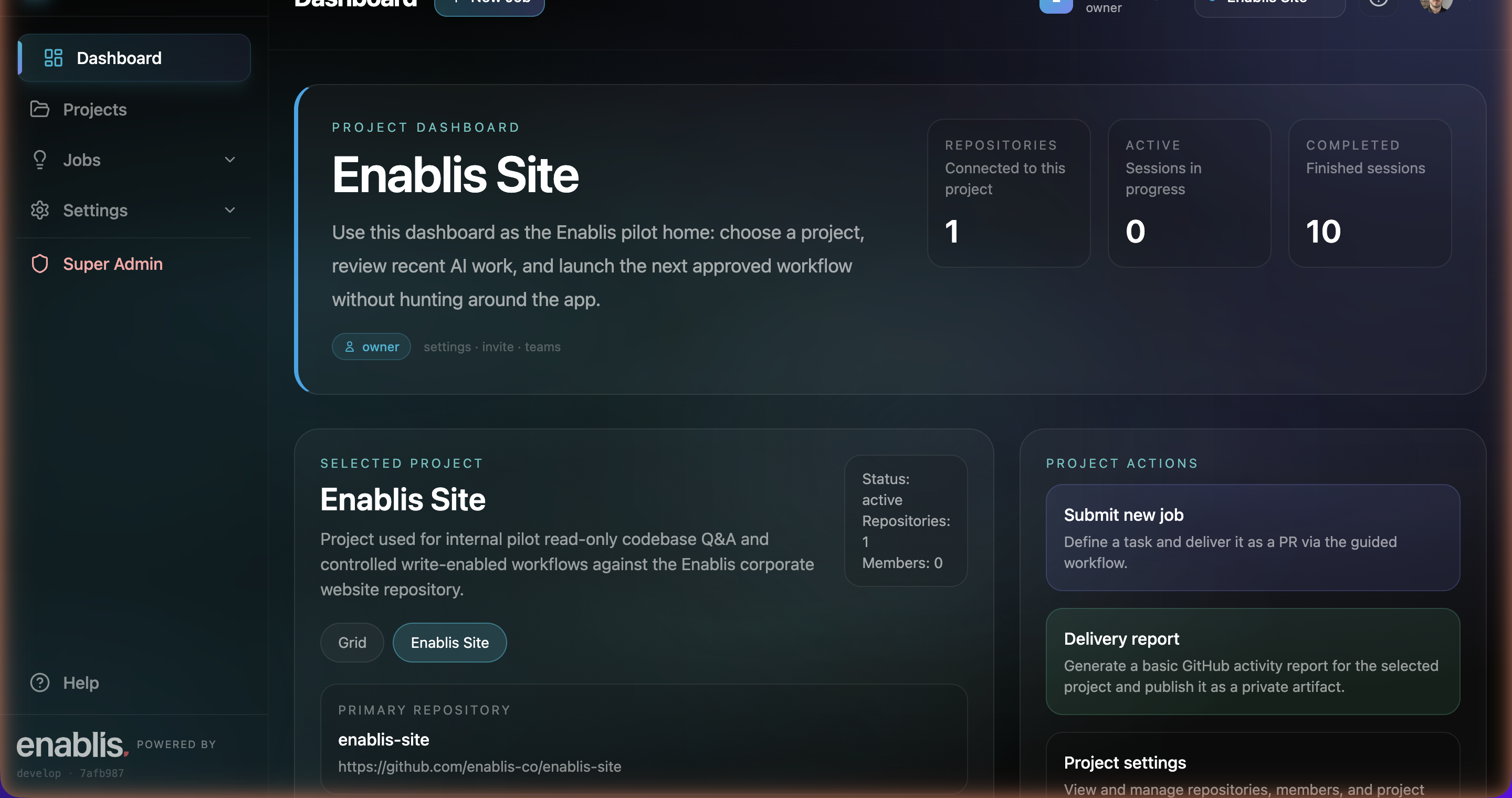
# drive Fusion from any MCP client
› create_job("Draft the Jugo case study",
repo="enablis-co/enablis-site")
→ new-1 · phase: analyzing
› get_job("new-1")
→ phase: executing
→ pr: …/enablis-site/pull/197
› .
same jobs, same governance — whichever surface you reach for
Schedule it. Close the laptop.
Walk away.
Jobs run autonomously inside the enclave on your clock. Your machine doesn't need to stay on.
everything after 16:42 runs without you — the enclave keeps the clock
The power-user setup,
minus the power user.
Non-technical people get the wired-up environment only a kitted-out developer could run. They just write a brief.
local env · API keys · MCP wiring · a spare afternoon to set it all up
→ just a brief
One governed front door
to every MCP tool.
Connect your internal MCP servers once. Fusion exposes, governs and even hosts them — for the whole org.
N×M wiring · no governance · no audit
one front door
GATEWAY
Expose
Add any MCP server. Surface its tools to the whole org.
Govern
Per-user access, audit, and guardrails — enforced at the door.
Host
No infra to run it? Fusion hosts the MCP server for you.
Real artefacts,
not a demo reel.
We built Fusion at Enablis and ship through it daily. Honest about the stage — opening to a first handful of customers.
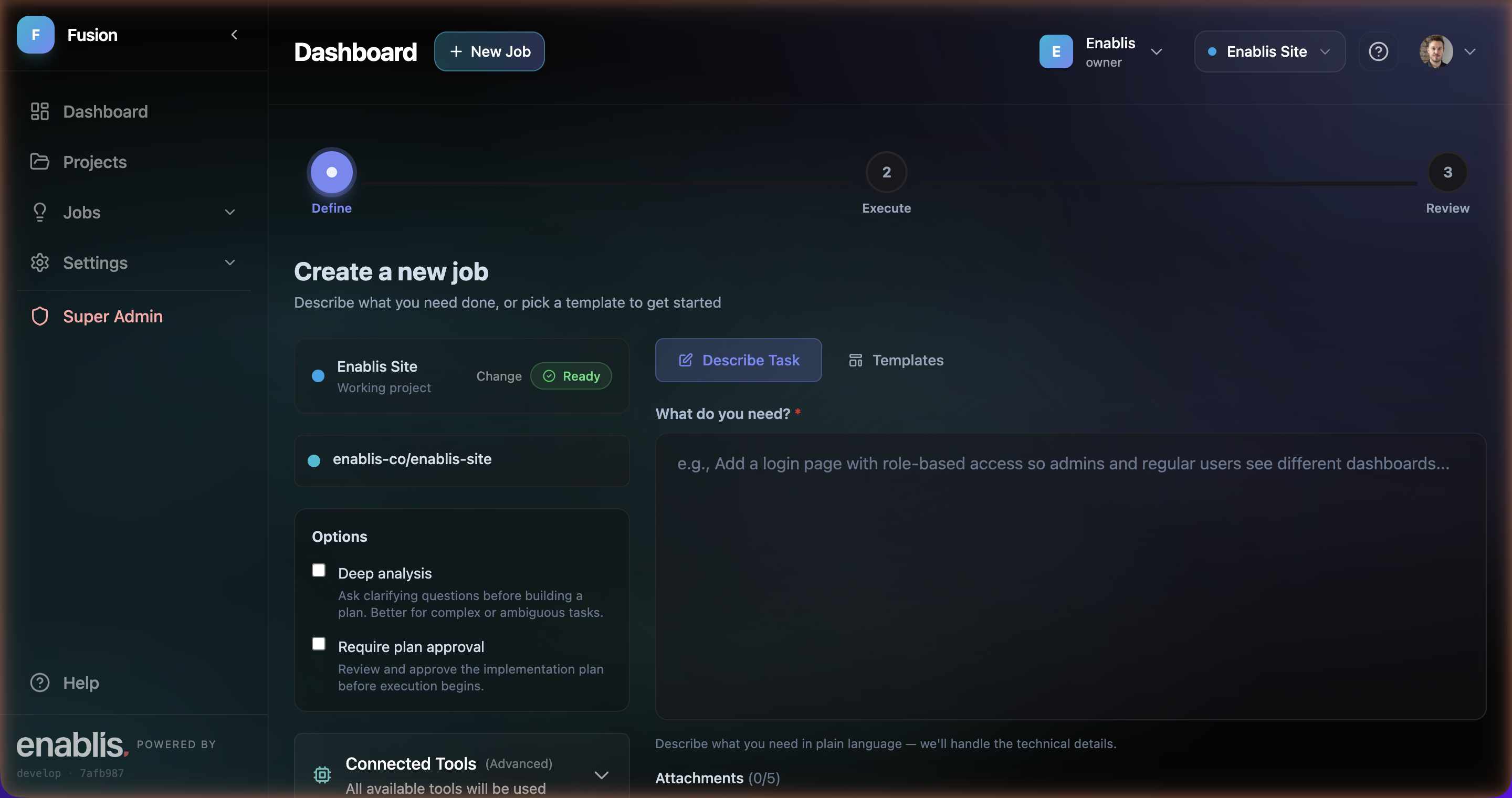
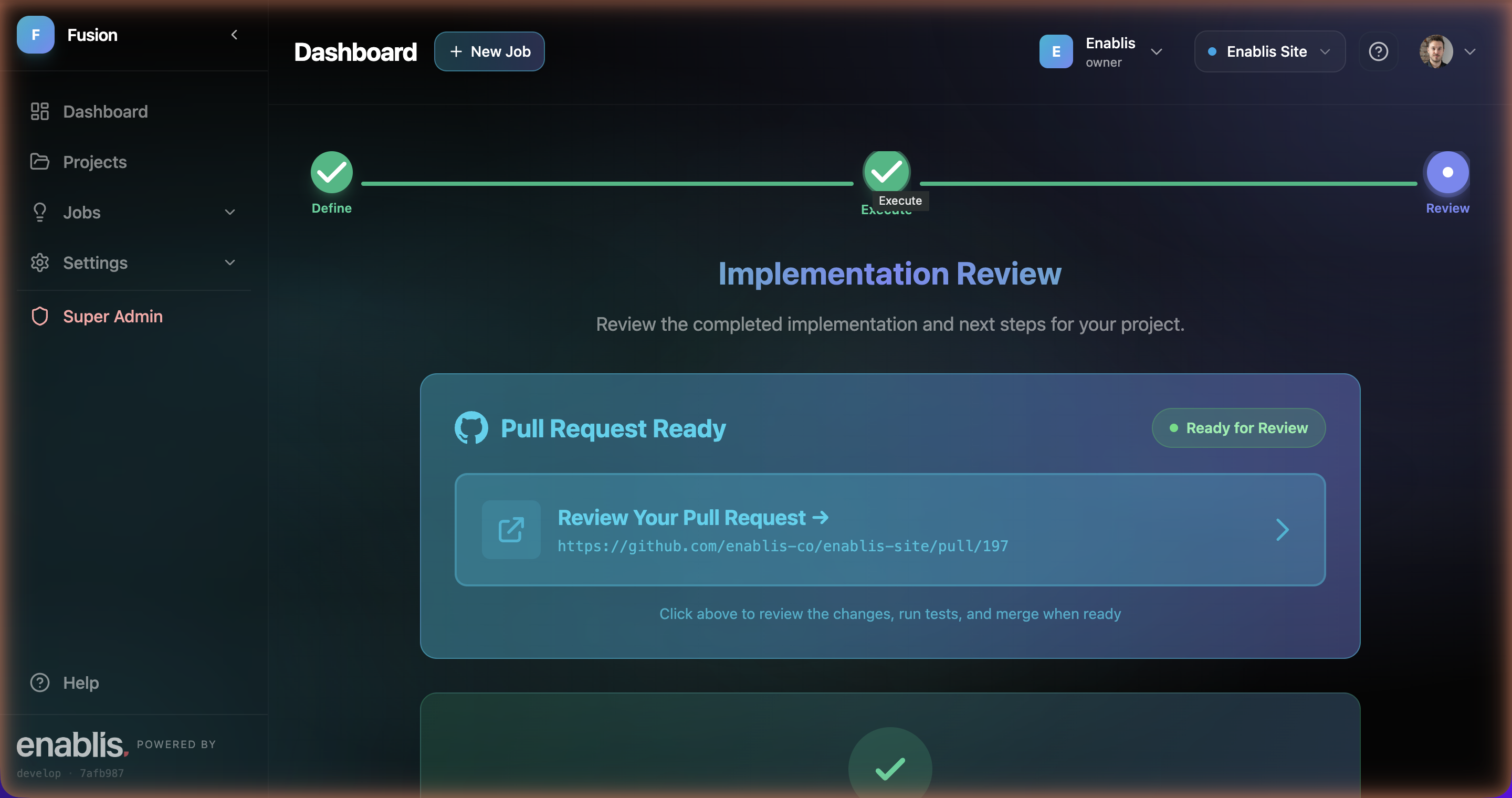
In production, used daily at Enablis.
First customers — onboarding a small handful.
Public sign-up — not yet, on purpose.

Want the keys
in one safe place?
Run governed AI jobs inside your enclave — from the web or your own MCP client. And put every MCP tool behind one governed front door.
Built at Enablis · used daily · no waitlist screen, no glossy demo — just the product.